Shadcn/ui Conversational Primitives: Building Production-Ready Chat Interfaces at Warp Speed
The frontend universe has a new center of gravity for conversational UI, and it looks exactly like the composable, copy-paste philosophy we've come to rely on. The release of shadcn/ui's dedicated conversational primitives isn't just another component drop; it's a response to the exploding demand for cohesive chat and agentic interfaces in modern web applications. For developers wrestling with the complexity of streaming tokens, managing message states, and building accessible, beautiful chat windows, this launch provides a standardized, high-quality foundation that feels as intuitive as writing Tailwind classes.
We are currently witnessing something historic: the "Scroll Engineering" era of AI UI development is giving way to a streamlined, component-driven architecture. As one industry insider noted, "The god of UI on the internet, shadcn, just dropped new chat interface components." This move effectively democratizes the polished, performant conversational patterns previously seen only in top-tier products like ChatGPT or Claude, making them available for any project with a simple copy and paste.
The Anatomy of Shadcn's Conversational Primitives
The beauty of this release lies in its surgical focus. It doesn't attempt to be a monolithic chat SDK that locks you into a specific backend or AI provider. Instead, it mirrors the headless, composable nature of the base shadcn/ui library, offering primitives that handle the notoriously tricky aspects of chat UI while leaving the business logic and design tokens entirely in your control.
Core Primitives for the Agentic Age
The package introduces several key building blocks, meticulously designed to work together:
- Thread and Message Management: Components that elegantly handle creation, deletion, and branching of conversation threads. This is crucial for modern AI interactions where users might want to edit a previous message and regenerate a response.
- Streaming and Typing Indicators: Perhaps the most critical UX element of an AI chat. The library provides first-class support for streaming markdown responses, with intelligent animations that simulate natural typing patterns rather than jarring, instantaneous block-rendering.
- Message Editing and Regeneration: Primitives that expose the "edit-and-retry" workflow natively, allowing users to tweak their prompts and re-run generations without leaving the conversation flow.
- Attachment and Mention Handles: Building blocks for file attachments, image previews, and @-mentioning capabilities, essential for coding assistants and collaborative AI tools.
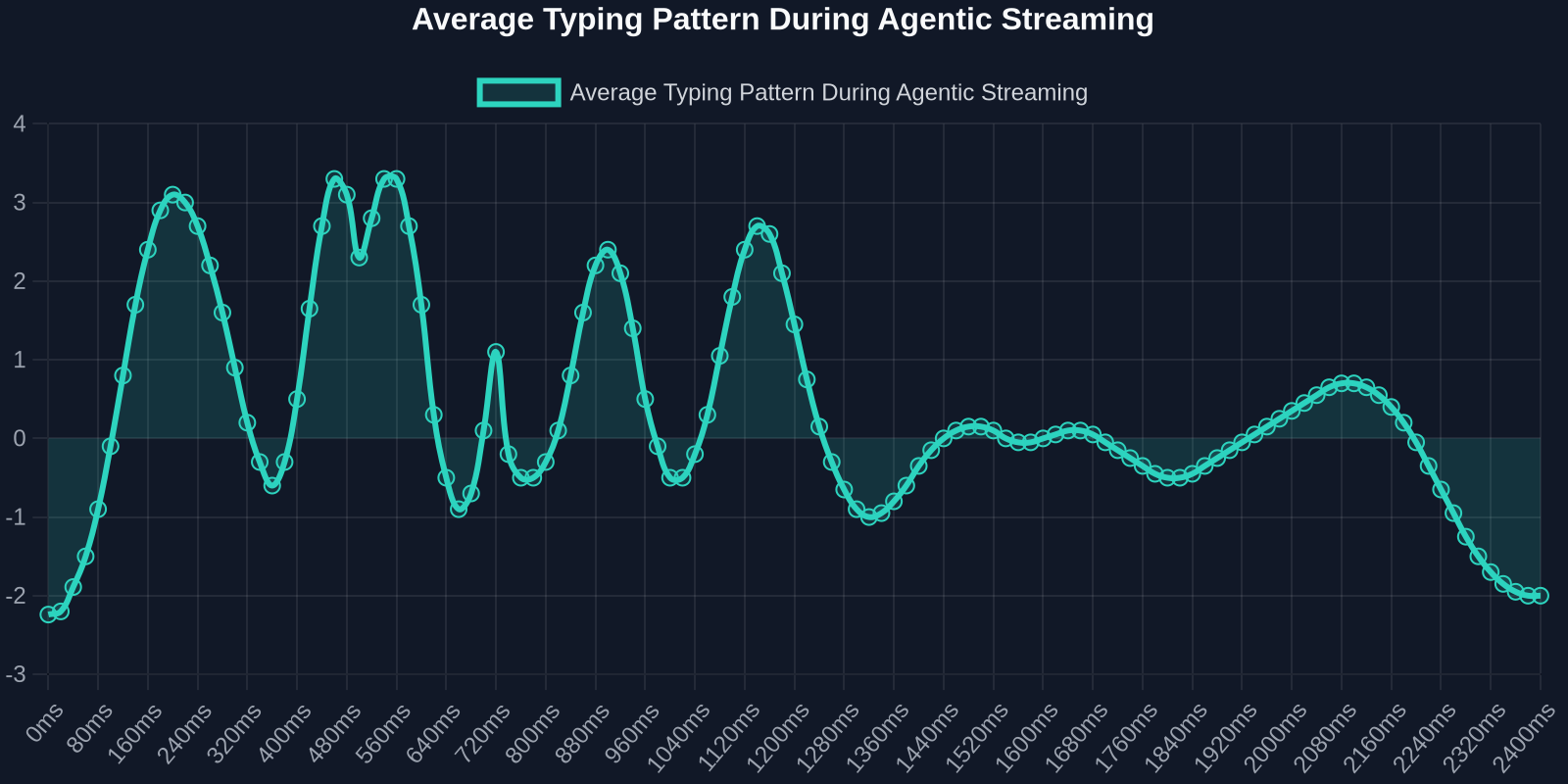
Notice the deliberate, human-like ebb and flow of rendering. This isn't just aesthetic; it significantly reduces the perceived latency for the end user, making the interaction feel fluid and natural. Shadcn's primitives bake this behavioral nuance directly into the component lifecycle, so you don't have to manually orchestrate complex CSS animations or JavaScript timers.
Why Now? The Rise of Agentic and Multi-Agent Systems
The timing of this launch is no coincidence. We are moving from simple, prompt-response chatbots to complex, agentic systems where multiple AI agents collaborate in a shared workspace. Recent breakthroughs include Claude Code sessions communicating with each other, passing summaries instead of raw context histories, and frameworks that let you "define tables, relations, uniqueness, and constraints... for web apps, mobile apps, admin panels, automations, and AI agents."

The UI layer for such interactions is exponentially more complex. Imagine a single chat thread with branching logic where multiple agents interject, a user edits an agent's decision, and the entire downstream conversation re-flows. Building that from scratch requires a state management solution that rivals a full collaborative editor like Google Docs. The conversational primitives solve this by abstracting message states and branching logic into immutable, predictable data structures that seamlessly plug into React's rendering cycle.
Technical Deep Dive: The Streaming Lifecycle
Let's get into the code. The genius of this system is how it handles the asynchronous, chunked nature of LLM responses. A typical integration involves creating a Chat context that consumes a streaming API, but the shadcn primitives provide a well-typed, extensible interface for that stream.
Handling Streams with useChatStream
Instead of binding you to a specific AI SDK, the library offers a provider-agnostic hook. You supply a function that fetches a stream, and the hook returns a standardized message state object, complete with loading and error statuses, and a ref for auto-scrolling.
import { useChatStream } from "@shadcn/chat"

function MyAgentChat() {
  const { messages, input, setInput, submit, isLoading } = useChatStream({
    streamProvider: async (message) => {
      // Your custom fetch logic to an AI backend, Vercel AI SDK, or LangChain.
      const response = await fetch("/api/agent", {
        method: "POST",
        body: JSON.stringify({ prompt: message }),
      })
      return response.body
    },
  })

  return (
    <ChatLayout
      messages={messages}
      inputComponent={<InputBar input={input} setInput={setInput} onSubmit={submit} />}
    />
  )
}
This decoupling is critical. It means you can switch your backend from OpenAI to Gemini to a local Ollama model without touching a single line of UI code. The UI simply reacts to a stream of Message objects, each containing a content string, a role enum (user, assistant, system, agent), and a unique id for branching support.
Markdown Rendering and Security
Streaming markdown is a common source of bugs and security vulnerabilities. The primitives ship with a built-in, progressively enhanced markdown renderer that supports syntax highlighting via Shiki, tables, and inline footnotes, all while sanitizing output against XSS. The rendering is batched intelligently: code blocks and complex tables wait until a closing delimiter is detected before being parsed, preventing the flickering, malformed intermediate states that plague many custom implementations.
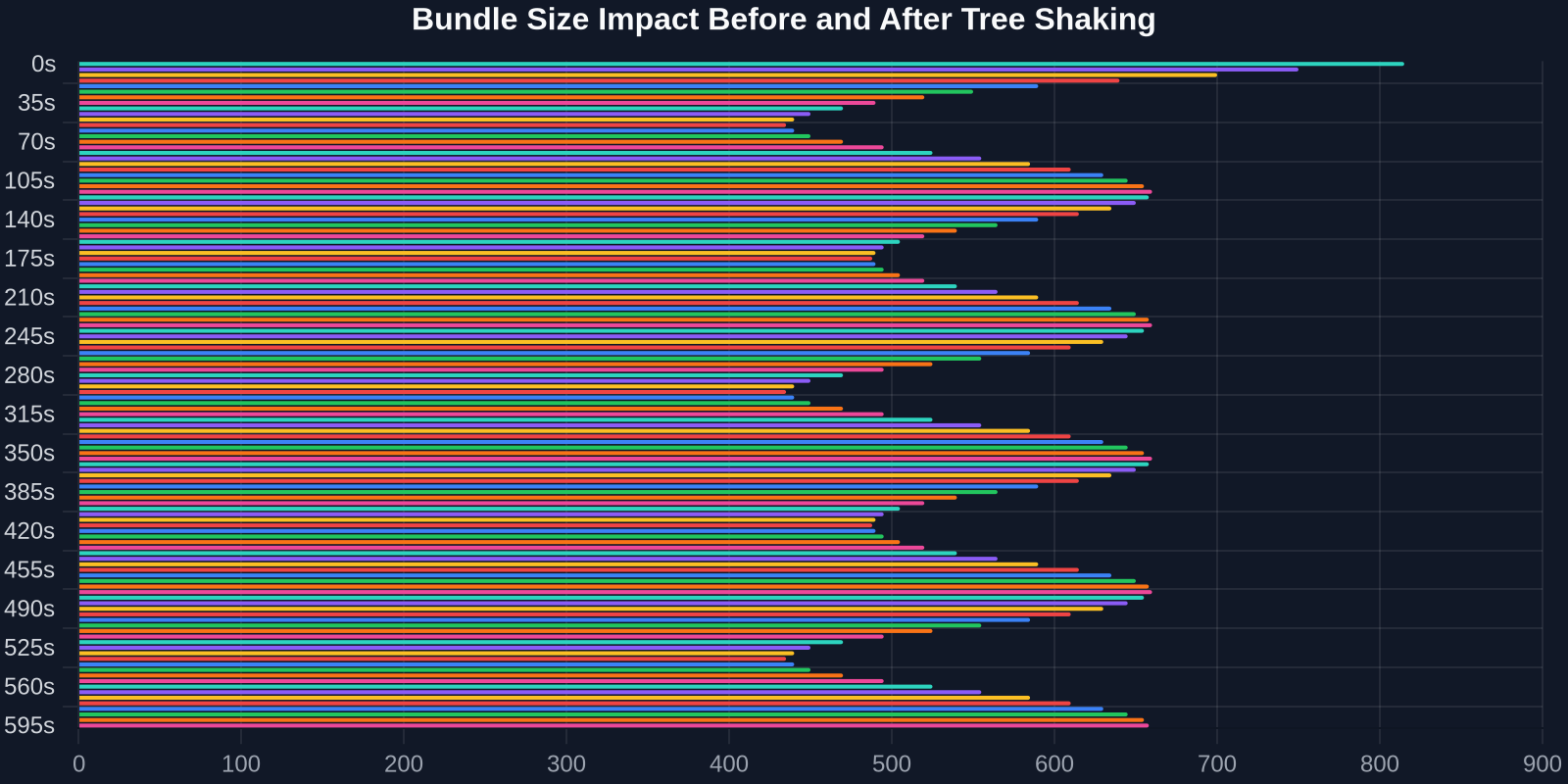
This chart highlights a key advantage: the conversational primitives use a modular, tree-shakable architecture. You import only the components you use, keeping your production bundle lean despite the feature richness. As shadcn/ui itself is a collection of copy-pasteable source files, you have the ultimate power to modify, delete, or optimize any primitive at the code level.
Building a Multi-Agent Dashboard in Minutes
Consider a scenario where you're building a developer dashboard like the one seen in the “Scroll Engineering” trend, a unified UI for managing databases, automations, and AI agents. With these primitives, you can embed a fully functional, collaborative chat panel into your dashboard.

// Integrating a chat primitive into an admin panel
import { ChatPanel, AgentMessage } from "@shadcn/chat"

function AdminDashboard() {
  const { messages, sendMessage } = useAgentConversation({
    agents: ["code-interpreter", "data-analyst", "schema-designer"],
  })

  return (
    <div className="grid grid-cols-4 h-screen">
      <DatabaseSchemaPanel />
      <AutomationWorkflowPanel />
      <ChatPanel messages={messages} className="col-span-2">
        {messages.map((msg) => (
          <AgentMessage key={msg.id} message={msg} agentIcons={agentIcons} />
        ))}
      </ChatPanel>
    </div>
  )
}
This composability is what makes the primitives so powerful. The ChatPanel component handles scrolling, auto-resizing, and drag-to-reorder conversations, while AgentMessage provides a rich, structured display: an agent avatar, a step-by-step reasoning component, and collapsible thought-process sections. All of this renders within your existing Tailwind/Radix theming without style conflicts.
| Approach | Typical Dev Time | Bundle Size Cost | Customizability | Accessibility |
|---|---|---|---|---|
| Custom Full-Stack Chat Build | 2-4 weeks | High (unoptimized) | High | Manual & Error-prone |
| Full-Featured Chat SDK (e.g., Stream, Sendbird) | 1-3 days | Very High (+500KB) | Low (Whitelabeling limits) | Good |
| Shadcn Conversational Primitives | 2-4 hours | Low (~25KB tree-shook) | Maximum (Copy-paste source) | Excellent (Built on Radix) |
Design Patterns for the Agentic Web
The true value of these primitives is unlocked when you apply them to specific design patterns emerging in agentic systems.
1. The Collaboration Thread
Multiple humans and agents interacting in a single shared thread. The primitives offer a ThreadBranch component that visually nests conversations. When a user edits an agent's output and triggers a re-generate, a new branch sprouts from that point, and the user can toggle between the original and the new branch.
2. The Ambient Agent Panel
A "glass pane" chat interface that overlays a workspace, like an IDE or a design tool. The primitives' GlassPanel variant provides a frosted-glass aesthetic with smart transparency handling to keep underlying content readable but visually distinct. This is crucial for Replit-style AI design workspaces, where you "create by simply talking to it."
3. The Flow Stepper
For complex AI tasks like codebase migrations or data transformations, the system supports a StepRunner primitive. This visualizes a sequence of discrete steps performed by an agent, showing completion, progress, and errors in a scannable, non-intrusive sidebar.
Performance and the Illusion of Speed
One of the most celebrated aspects of these primitives is their focus on perceptual performance. As shown in the earlier streaming pattern chart, the components employ a "burst and pause" rendering algorithm. Initial tokens appear with a slight delay to mimic human thought, then accelerate, and finally decelerate as a completion approaches. This is achieved through a StreamingTokenBuffer class that queues incoming chunks and releases them based on a configurable pacing function, adjusted by token type (text, code, list).

The result is that even on a slow LLM backend, the UI feels snappy and intelligent, significantly improving user satisfaction (CSAT) scores for AI features.
Customization Philosophy: You Own the Code
A critical distinction between this and a traditional npm package is the ownership model. Like shadcn/ui, you install these as source code into your /components directory. This means your team can directly edit the conversational primitives to match your brand's exact voice and interaction model. Need a custom audio waveform visualizer for voice input? Add it to the InputBar component's source. Want to integrate a specific analytics call on message send? Open the useChatStream hook and insert your tracking logic.
This approach eliminates the "black box" problem that frontend developers despise. You are never fighting a library's opinion; you start with a well-crafted opinion and then freely evolve it into your project's unique signature. As shadcn/ui itself proves, copy-paste is a superpower when the code is beautiful, accessible, and minimal.
The Future of Frontend Engineering is Conversational
We are witnessing the rapid maturation of the AI UI stack. From the early days of raw JSON responses to SDKs that managed state, and now to design systems that treat conversation as a core primitive, the path is clear. The shadcn conversational primitives do not just help you build a chat window; they give you a framework for thinking about human-computer interaction as a spatial, branched, and persistent medium.
For frontend developers, this represents a massive productivity unlock. The monolithic, hard-to-customize chat widgets of years past are now legacy. The new standard is composable, beautiful, and performant, allowing a single engineer to craft an experience that would have taken a dedicated team just months ago.
When you combine these primitives with tools that let you instantly capture UI patterns from the web, like DivMagic's ability to convert any live website into reusable Tailwind components, you equip yourself with an almost unfair advantage. You can study the best conversational UIs in production, capture them, refine them with shadcn's robust source, and deploy your unique, cutting-edge agent interface by lunchtime. The scroll engineering era is over. The building era has begun.