

The Company Behind Ubuntu Also Builds These Surprisingly Useful Developer Tools
When you hear "Canonical," the first thing that likely comes to mind is Ubuntu, the world’s most popular cloud operating system. But the London-based company has quietly assembled an arsenal of open-source tools that are reshaping how developers build, test, and ship software. From instant local VMs to production-grade Kubernetes, Canonical’s side projects punch far above their weight class. This deep dive explores the three hidden gems in Canonical’s portfolio that every frontend developer, DevOps engineer, and system architect should have in their toolkit.
Multipass: Instant Ubuntu VMs On Any Platform
The bane of a cross-platform developer’s existence is environment parity. You code on macOS, deploy to Linux, and pray the CI pipeline catches what your local machine didn’t. Multipass eliminates this friction. It’s a lightweight VM manager that spins up a fresh Ubuntu instance with a single terminal command. No Vagrantfiles, no VirtualBox GUI, no complex networking wizardry.
Multipass uses native hypervisors, Hyper-V on Windows, QEMU on macOS, and KVM on Linux, making it significantly faster than VirtualBox-based alternatives. Boot times clock in under three seconds on modern hardware.
How Multipass Outperforms Docker for Pure Linux Workloads
Containers are fantastic, but they share the host kernel. When you need a genuine Linux kernel environment, for testing kernel modules, running snaps, or using systemd, multipass delivers a full OS, not a dressed-up process. The CLI feels native to modern workflows:
# Launch a VM named 'dev-node' with 4GB RAM and 2 CPUs
multipass launch --name dev-node --memory 4G --cpus 2

# Execute a command directly
multipass exec dev-node -- sudo apt update

# Mount your host project directory inside the VM
multipass mount ~/my-project dev-node:/home/ubuntu/work
For frontend developers working on server-side rendering or Node.js backends, the ability to test on an exact replica of production infrastructure locally is transformative. No more "works on my machine" debates.
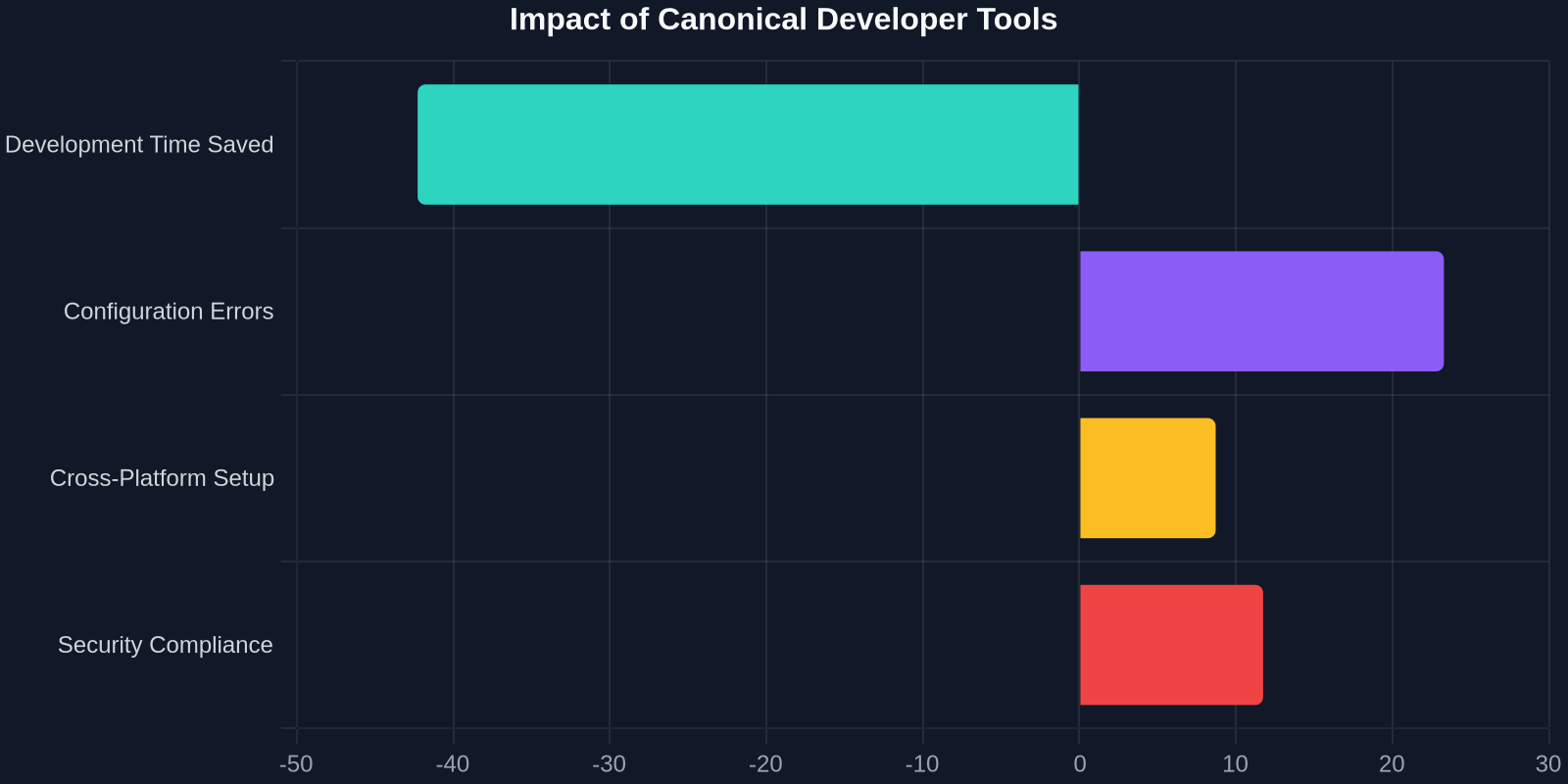
LXD: System Containers That Feel Like VMs
LXD blurs the line between containers and virtual machines. These are "system containers", they run a full init system, have persistent storage, and behave exactly like a standalone Linux server. Yet they consume far fewer resources than a traditional VM because they share the host kernel. LXD is Canonical’s answer to the question: "What if Docker had a full OS inside?"

Real-World Workflow: Local Microservice Architecture
Imagine you're building a modern web application with a React frontend, a Python API, a Redis cache, and a PostgreSQL database. With LXD, you can model the entire production topology locally:
# Create a container for the database
lxc launch ubuntu:22.04 db-server
lxc exec db-server -- apt install postgresql -y

# Create a container for the API
lxc launch ubuntu:22.04 api-server
lxc exec api-server -- apt install python3-pip -y

# Assign static IPs and link them
lxc network attach lxdbr0 db-server eth0
lxc config device set db-server eth0 ipv4.address=10.0.0.10
Each container gets its own network interface, firewall rules, and resource limits. You can simulate network latency, packet loss, or even pull the plug on a service to test resilience.
LXD integrates natively with cloud-init, meaning you can provision containers with the same configuration management tools used in AWS, Azure, and Google Cloud. Your local test environment matches your production infrastructure down to the OS package versions.
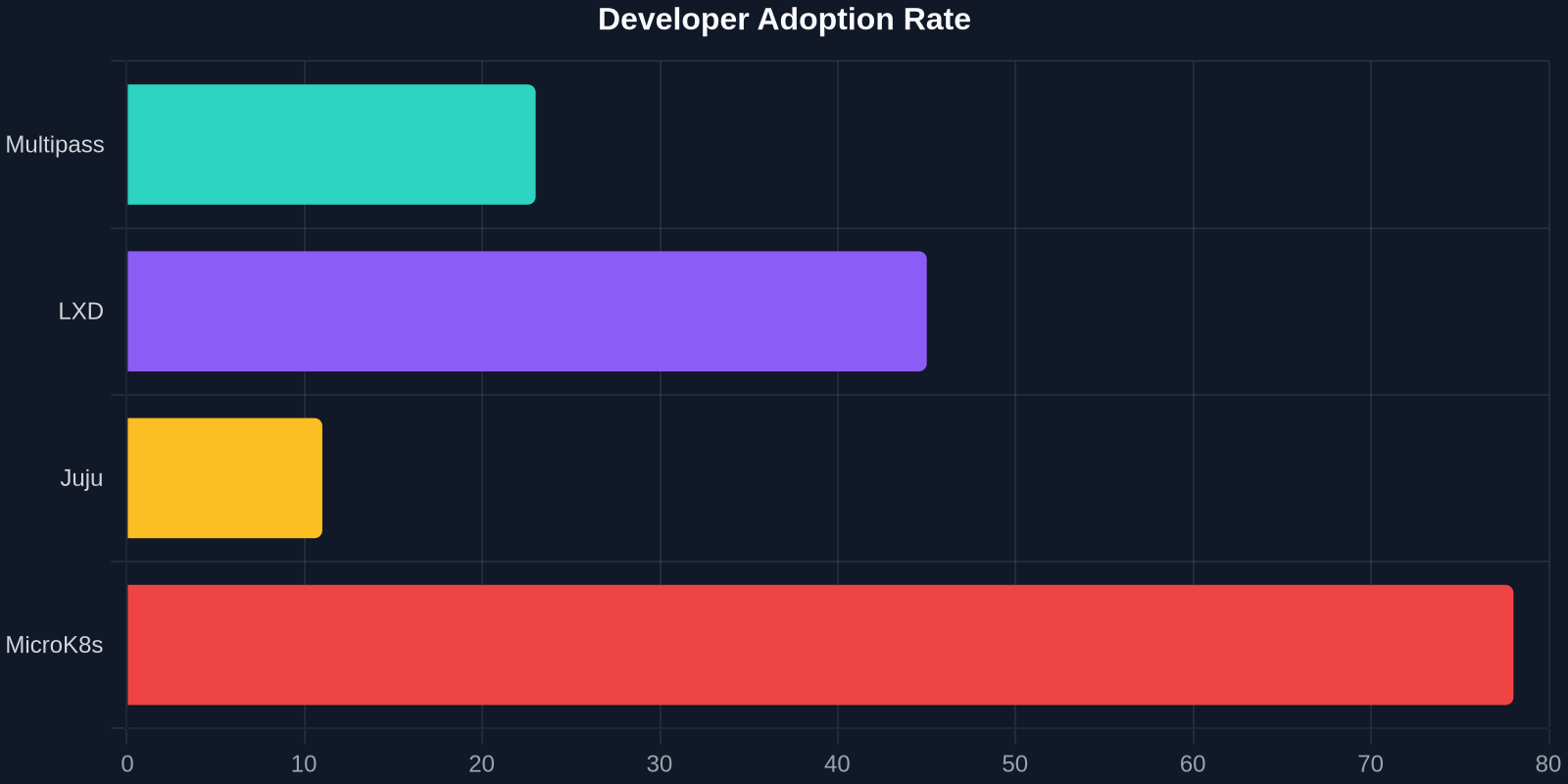
Juju: Application Modeling Beyond YAML Sprawl
Infrastructure as Code typically means vast YAML files and Bash scripts that become unmaintainable within months. Juju takes a fundamentally different approach: it models relationships between services, not just their configurations. A Juju "bundle" is a declaration of your entire stack and how the pieces connect.
The Charm Ecosystem Automates Ops Knowledge
A "Charm" is an operator, a piece of code that encapsulates the operational wisdom of deploying and managing a service. Need a highly available PostgreSQL cluster with automatic failover? There’s a charm for that, maintained by database experts. Deploying it is a single command:
juju deploy postgresql --channel 14/stable -n 3
juju deploy my-django-app
juju relate my-django-app postgresql:db
The last line is the magic. juju relate tells Juju that your Django app needs a database. Juju automatically configures PostgreSQL, creates the database and user, and injects the connection string into your Django app’s environment variables. Zero manual configuration.
Bridging the Developer-Production Gap
The true power of Canonical’s ecosystem emerges when you use these tools together. A common workflow looks like this:

- Develop locally with Multipass VMs matching your target Ubuntu version.
- Simulate the full topology using LXD containers for each service.
- Model the deployment with Juju bundles that define relationships and scaling rules.
- Deploy identically to any public or private cloud, or bare metal.
<ComparisonTable headers="[