
The web design landscape is evolving faster than ever. Figma's latest resource library, "Web Design Trends," has curated a powerful set of directions that are reshaping user interfaces. As frontend developers, we need to not only understand these trends but also know how to implement them efficiently, without reinventing the wheel for every project.
In this comprehensive guide, we'll unpack the key trends from Figma's report, provide actionable code snippets, and show you how tools like DivMagic can help you copy and adapt the best UI patterns in seconds.
The Shift Toward Empathy-Driven Design
Figma's 2024 trends emphasize a move from purely aesthetic design to empathy-driven, user-centric interfaces. This isn't just about making things look good, it's about creating experiences that anticipate user needs, reduce cognitive load, and feel human.
The Rise of Kinetic Typography
One of the most visually striking trends from Figma's library is kinetic typography, text that moves, morphs, or animates to capture attention. It's prevalent in hero sections, landing pages, and storytelling elements.
Instead of static headlines, designers are using CSS animations and JavaScript libraries to create smooth, engaging text animations.
How to Build Kinetic Typography with CSS
You can achieve impressive kinetic effects without heavy JavaScript by combining CSS custom properties, @keyframes, and will-change for performance.
@keyframes textReveal {
  0% {
    opacity: 0;
    transform: translateY(40px) scale(0.9);
    filter: blur(10px);
  }
  100% {
    opacity: 1;
    transform: translateY(0) scale(1);
    filter: blur(0);
  }
}

.hero-title {
  animation: textReveal 1.2s cubic-bezier(0.22, 1, 0.36, 1) forwards;
  will-change: transform, opacity;
}

/* For staggered reveal of each word */
.hero-title span {
  display: inline-block;
  animation: wordAppear 0.6s ease-out both;
}

.hero-title span:nth-child(1) { animation-delay: 0.1s; }
.hero-title span:nth-child(2) { animation-delay: 0.2s; }
.hero-title span:nth-child(3) { animation-delay: 0.3s; }
Neumorphism Revisited: Soft UI 2.0
Remember neumorphism from 2020? It's back, but refined. Figma's report highlights "Soft UI 2.0", a more accessible version that uses subtle shadows, gradients, and layering without sacrificing contrast or usability.
Data Storytelling with Interactive Dashboards
Figma's trends note a surge in data-rich interfaces that tell stories. Instead of static charts, modern web designs use interactive, animated visualizations that let users explore data.
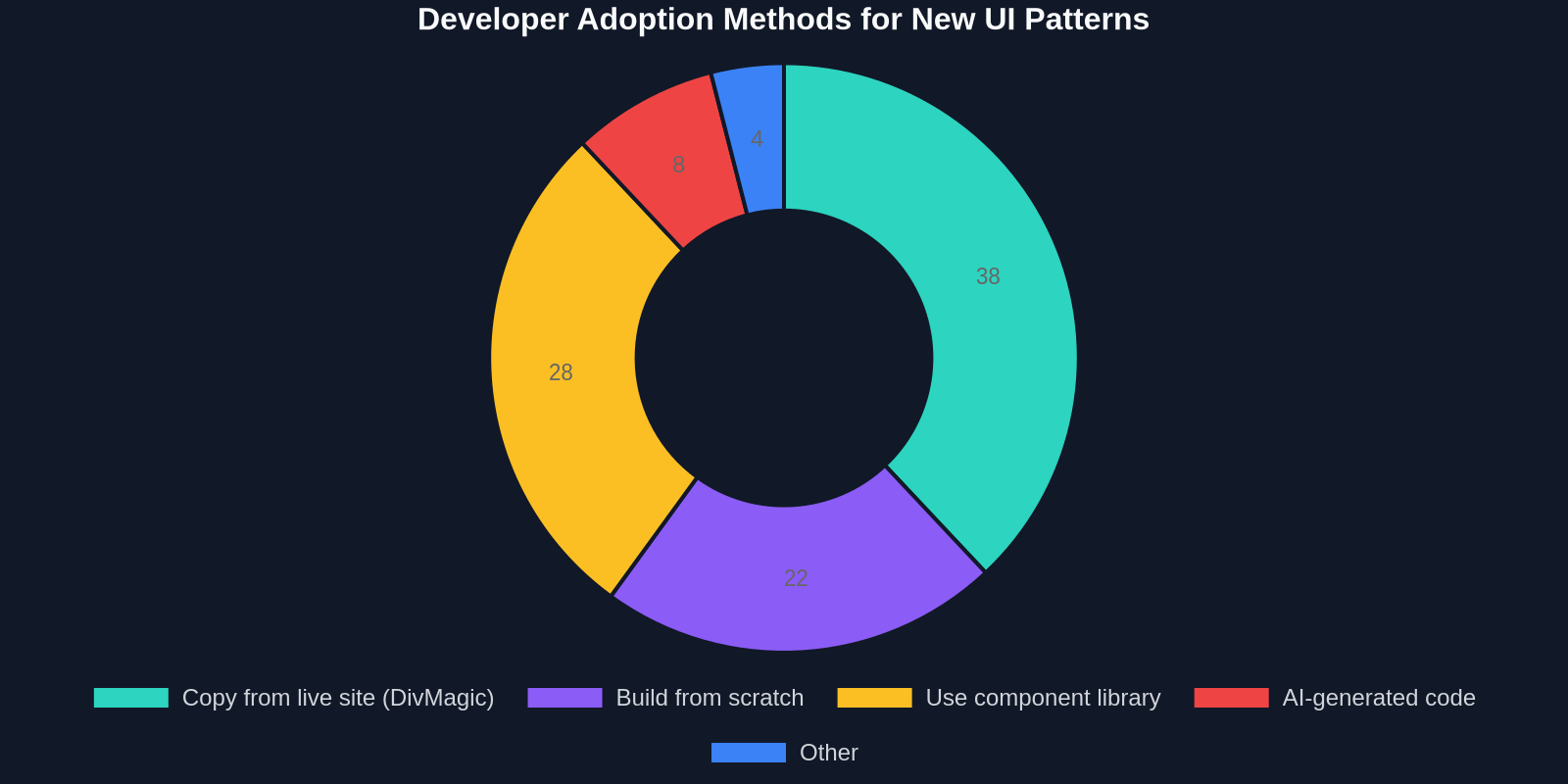
As a developer, you can leverage libraries like Chart.js, D3.js, or even pure CSS/SVG to create engaging data stories.
Building a Simple Animated Bar Chart with CSS
/* Container for chart bars */
.chart-container {
  display: flex;
  justify-content: space-around;
  align-items: flex-end;
  height: 300px;
  gap: 4px;
}

/* Individual bar with animation */
.bar {
  width: 40px;
  background: linear-gradient(to top, #6366f1, #a78bfa);
  border-radius: 4px 4px 0 0;
  animation: growBar 1s ease-out forwards;
  opacity: 0;
}

.bar:hover {
  background: linear-gradient(to top, #4f46e5, #8b5cf6);
  transform: scaleX(1.1);
}

@keyframes growBar {
  from {
    height: 0;
    opacity: 0;
  }
  to {
    opacity: 1;
  }
}
For more complex interactivity, you can combine this with JavaScript that fetches real-time data or allows users to filter by category.
Implementing These Trends Faster with DivMagic
Keeping up with these trends manually can be time-consuming. That's where DivMagic comes in. As a browser extension, it allows you to inspect and copy any UI element from any website, including the latest trend-driven designs.
Use Case: Copying a Kinetic Typography Animation
Imagine you see a beautifully animated headline on a site that uses Figma's trends. With DivMagic:
- Right-click the element and select "Inspect with DivMagic."
- The tool extracts the full CSS, HTML, and even JavaScript event handlers.
- Copy the code directly into your project.
- Tweak the variables (colors, timing, fonts) to match your brand.
This process saves hours of trial and error, especially when you're working with complex animations or nuanced soft UI shadows.
Key Takeaways:
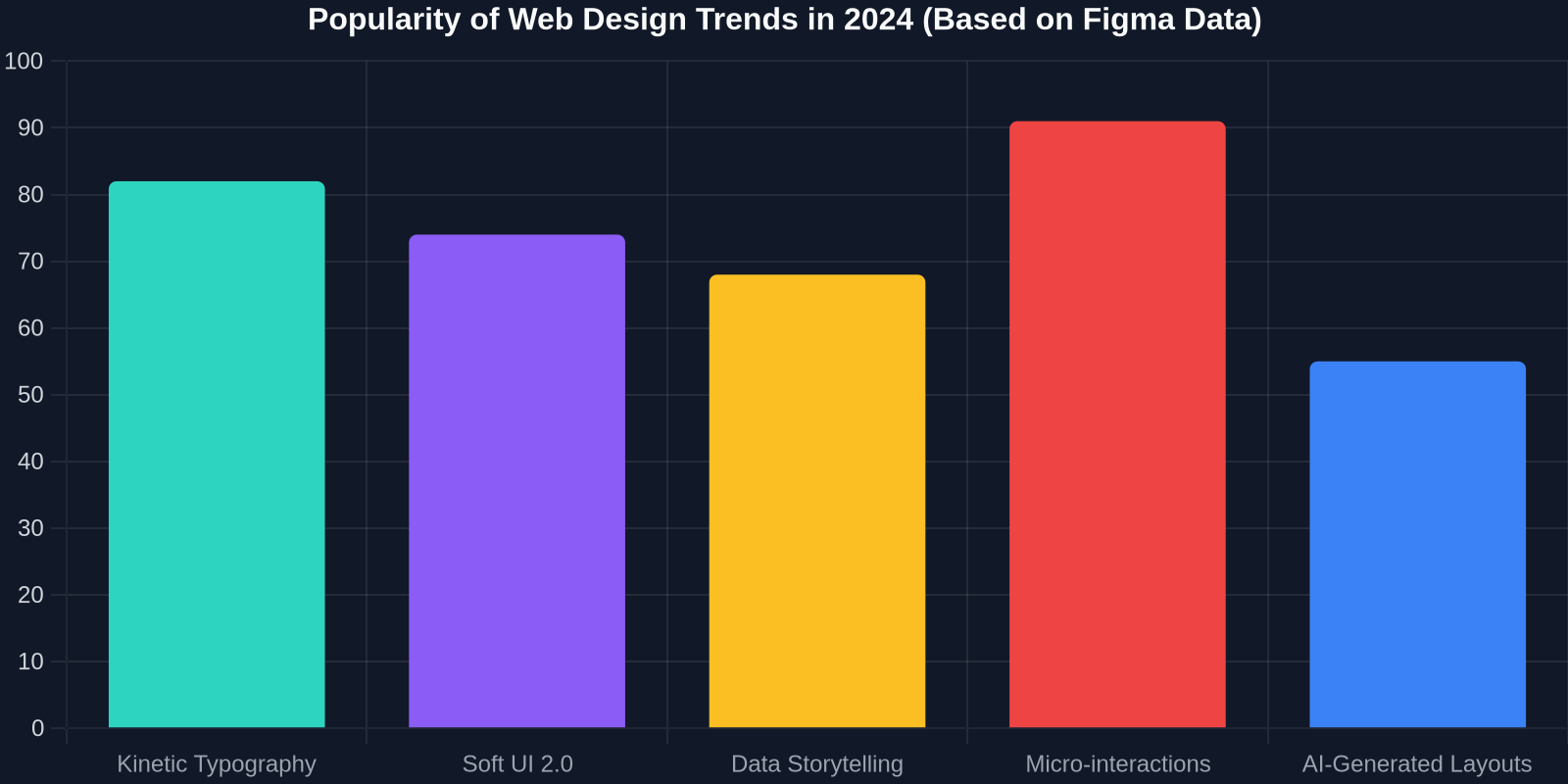
- Micro-interactions build emotional connections with users.
- Kinetic typography grabs attention but must be performance-optimized.
- Soft UI 2.0 is accessible and visually appealing with proper contrast.
- Data storytelling transforms raw numbers into compelling narratives.
- Tools like DivMagic accelerate your workflow by enabling you to copy and adapt existing patterns.
Start with one or two trends that align with your project's goals. Experiment, measure, and iterate. The future of web design is here, make sure your toolkit is ready.