

The Hidden Cost of Front-End Complexity: How Modern UI Development Is Draining Your Budget
The pixel is the final frontier. It’s where databases, APIs, business logic, and brand strategy all converge into a single, interactive moment for a user. But as front-end development has matured from simple HTML and CSS into a sprawling ecosystem of JavaScript frameworks, build tools, design systems, and micro-interactions, a silent tax has been levied on productivity, performance, and even developer sanity. This is the hidden cost of front-end complexity, and it’s no longer a secret whispered in pull request comments, it’s a line item on every digital project’s budget sheet.
Modern web applications are marvels of engineering, but the path to delivering that pixel-perfect, state-managed, API-orchestrated button has become a labyrinth. We stack abstractions upon abstractions, state management on top of a virtual DOM, on top of a module bundler, on top of a type-checker, all to manage a fundamentally visual, declarative medium. This complexity isn't inherently malicious; it often arises from legitimate needs for scalability and team collaboration. However, without a conscious strategy to manage it, the toll it exacts is immense.
In this deep dive, we'll dissect the anatomy of this hidden cost, not to demonize modern tooling, but to reveal why the most successful development teams are aggressively simplifying their stacks and adopting novel workflows to copy and convert existing design patterns rather than engineering them from scratch.
The Three Pillars of Front-End Tax: Bundle, Build, and Brain
The cost of complexity isn't a single, monolithic problem. It manifests across three critical dimensions that, when combined, can paralyze even the most talented teams. Understanding each pillar is the first step toward dismantling them.
The Performance Tax: The Weight of Unseen Dependencies
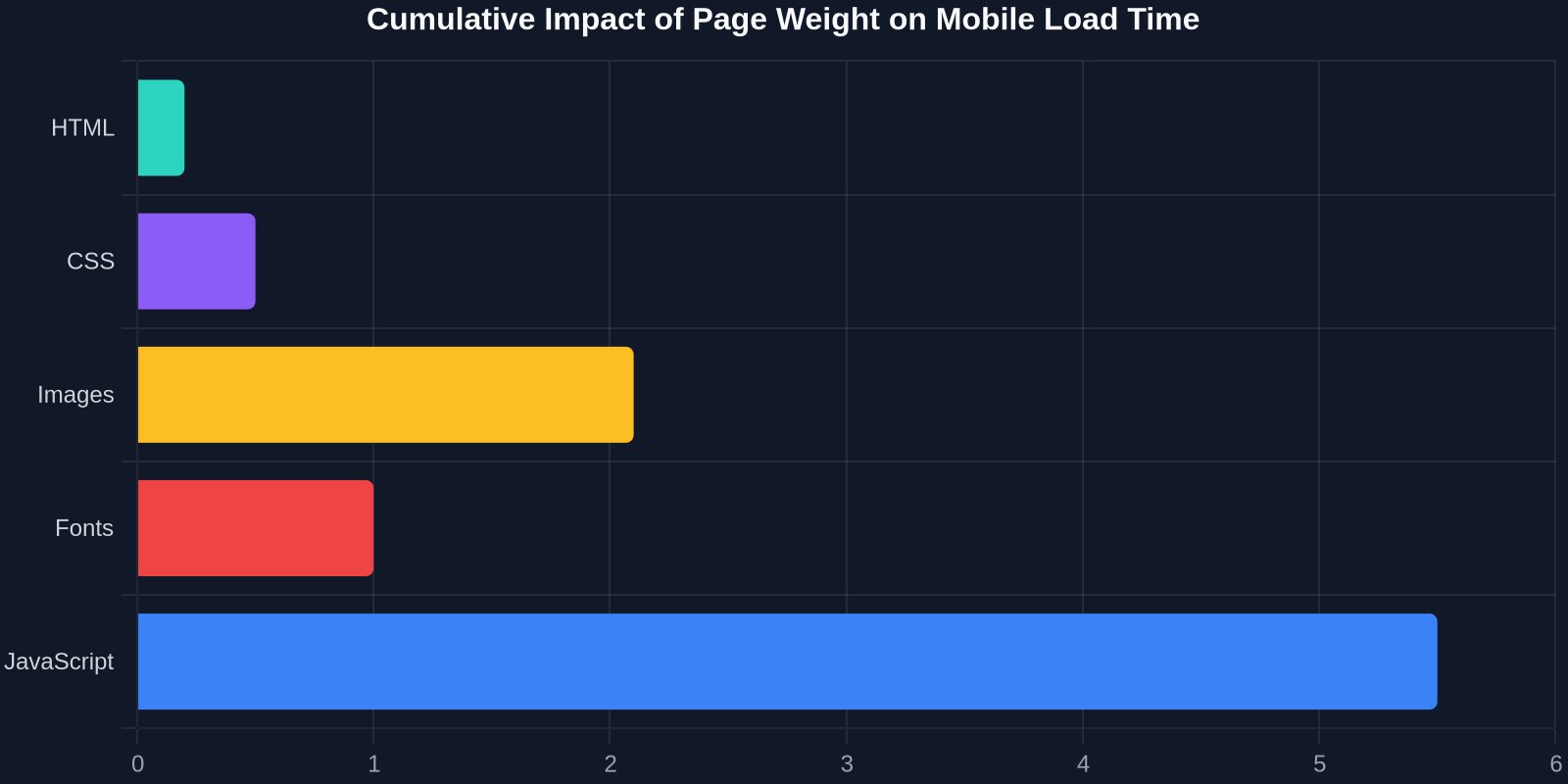
We often measure application performance by what the user sees, First Contentful Paint (FCP), Largest Contentful Paint (LCP), Time to Interactive (TTI). But what about the cost of getting there? Every kilobyte of JavaScript we ship is a tax on the user's device. Parsing and compiling 1MB of JS on a high-end phone is a non-event, but on an average $200 Android device common in global markets, that same process locks the main thread for seconds.
The hidden cost here isn't just the raw kilobytes of our own code, but the staggering iceberg of dependencies beneath it. A single node_modules directory can balloon to contain thousands of packages, many of which are pulled in transitively by a utility function you’ll use exactly once.
This bloat isn't limited to JavaScript. CSS frameworks, often loaded wholesale, ship thousands of unused selectors. Icon libraries deliver entire sets when only a handful are used. The frontend’s hidden performance cost is the cumulative latency of downloading, parsing, and executing code that never contributes a single style or behavior to the final rendered UI.
The Build-Tool Labyrinth: When 'Compile-Time' Becomes 'Coffee-Break-Time'
A decade ago, linking a CSS file and a script tag was the extent of our "build process." Today, frontend development is arguably more toolchain-intensive than backend systems engineering. Webpack, Vite, Turbopack, Babel, PostCSS, TypeScript, ESLint, Prettier, and module federation plugins form a Rube Goldberg machine that transforms modern syntax into browser-compatible artifacts.
The hidden cost here is developer idle time. A cold build can stretch into minutes, but the more insidious cost is the incremental rebuild. A developer changes a CSS padding value and waits 3-8 seconds for Hot Module Replacement (HMR) to reflect it. Multiply that by hundreds of micro-adjustments per day, across a team.
| Era | Feedback Loop | Cognitive Focus |
|---|---|---|
| Vanilla HTML/CSS | <1 second (Save & Refresh) | Logic + Presentation |
| Component Frameworks | 2-10 seconds (HMR/Recompile) | Reactive Logic + State + CSS-in-JS |
| Micro-Frontend Architectures | 15-60+ seconds (Orchestration) | Cross-App State + Contracts + Routing |
The labyrinth also introduces "configuration fatigue." Hours are spent wrangling config files for tools that, while powerful, create a brittle dependency chain. An incompatible version bump of a core library can fragment a build pipeline for days, a hidden operational cost rarely accounted for in sprint planning.
The Cognitive Churn Crisis: The Developer's Vanishing Flow State
Beyond machines and milliseconds, the most profound hidden cost is on human attention. Frontend development has undergone a "State Management Explosion." We've navigated from Backbone.js to Ember, AngularJS, React (with its Redux, MobX, Context, Recoil, Jotai, Zustand ecosystem), Vue (with Vuex and Pinia), and Svelte. Each paradigm shift requires developers to not only learn a new API but to fundamentally rethink data flow architecture.
This cognitive churn is the enemy of flow state. Every time a developer must context-switch from solving a UI problem to solving a state orchestration problem, they lose momentum. The codebase becomes a tapestry of different patterns adopted by different developers at different times. This makes onboarding new team members a months-long ordeal, not a weeks-long ramp-up.
The Seductive Allure and the Brutal Reality of Design Systems
Design systems like Material UI, Ant Design, or custom-built component libraries are often touted as the antidote to complexity. And they are, partially. A well-implemented design system enforces consistency and speeds up development. But they come with their own hidden price tag.

A design system is, itself, a product. It requires a dedicated team to maintain, document, and version. When the core application’s needs rapidly diverge from the system’s capabilities, developers face a choice: "hack" the component (forking it and taking on maintenance debt) or upstream a change to the design system team (incurring a weeks-long process to change a border-radius). This tension creates a bottleneck where "fast follows" are anything but fast.
Furthermore, the abstraction penalty means developers often understand the component's props interface but not the underlying CSS box model, accessibility tree, or performance implications. This leads to fragile compositions that break in unexpected ways at different viewports, requiring yet more cognitive overhead to debug.
Reclaiming Velocity: From Engineering UI to Copying the Web
If the complexity of generating UI from scratch is the tax, what's the loophole? The answer lies in a fundamental shift in workflow philosophy. The most productive frontend periods many of us remember were when we were inspired by an existing pattern, a layout on Dribbble, a navigation style on a competitor’s site, a pricing grid from a SaaS leader, and we sought to replicate it.
The traditional workflow for this inspiration-to-implementation pipeline is brutally inefficient:
- Spot a great UI in the wild.
- Inspect element, digging through minified class names and obfuscated CSS custom properties.
- Extract relevant styles, sifting through hundreds of irrelevant declarations.
- Recreate the markup structure by guessing the component hierarchy.
- Adapt the code into your own framework’s component model (JSX, SFC, etc.), rewriting it entirely.
This process is the epitome of hidden cost: high-friction, low-value manual labor that turns developers into digital archaeologists.
The paradigm shift is to treat the entire web as a reference library. Instead of wiring a complex, stateful table component by reading API docs, why not copy a meticulously crafted, accessible, and responsive one that already exists? This isn't about plagiarizing proprietary back-end logic; it's about acknowledging that the visual language of the web has matured, and many common UI patterns are solved problems.
The Modern UI Stack: Less Engine, More Velocity
Forward-thinking teams are starting to prefer lightweight, lean-core frameworks (like Svelte or Solid) or even a return to server-rendered HTML enhanced with minimal JavaScript (the HTMX or Alpine.js approach). But the real revolution isn't just in the runtime; it's in the tooling that bridges the gap between inspiration and implementation.

Browser Extensions as Power Tools
Imagine seeing a complex, animated hero section crafted by a top-tier agency. Instead of spending an afternoon or two rebuilding it, you activate a browser extension, click on the component, and instantly receive clean, extracted, responsive HTML and CSS, ready to be pasted into your project, adapted to your brand variables, and wired up with your logic.
This capability fundamentally alters the economics of frontend work:
- Zero Configuration Extraction: No more combing through the Elements panel.
- Instant Prototypes: Assemble full page mockups in minutes by copying and composing live sections from across the web.
- Learning by Deconstruction: Juniors don't just read docs; they copy real-world code and study how experts structure layouts and handle responsive breakpoints.
The True "View Source" Renaissance
The original web was built on the ethos of "View Source", a built-in educational and productivity mechanism that the age of compiled SPAs erased. Extraction-first tools restore this capability but for the modern, compiled web. They bypass the build tool entirely for the initial UI scaffolding, leaving developers to focus exclusively on the truly bespoke application logic and state management that genuinely requires their expertise.
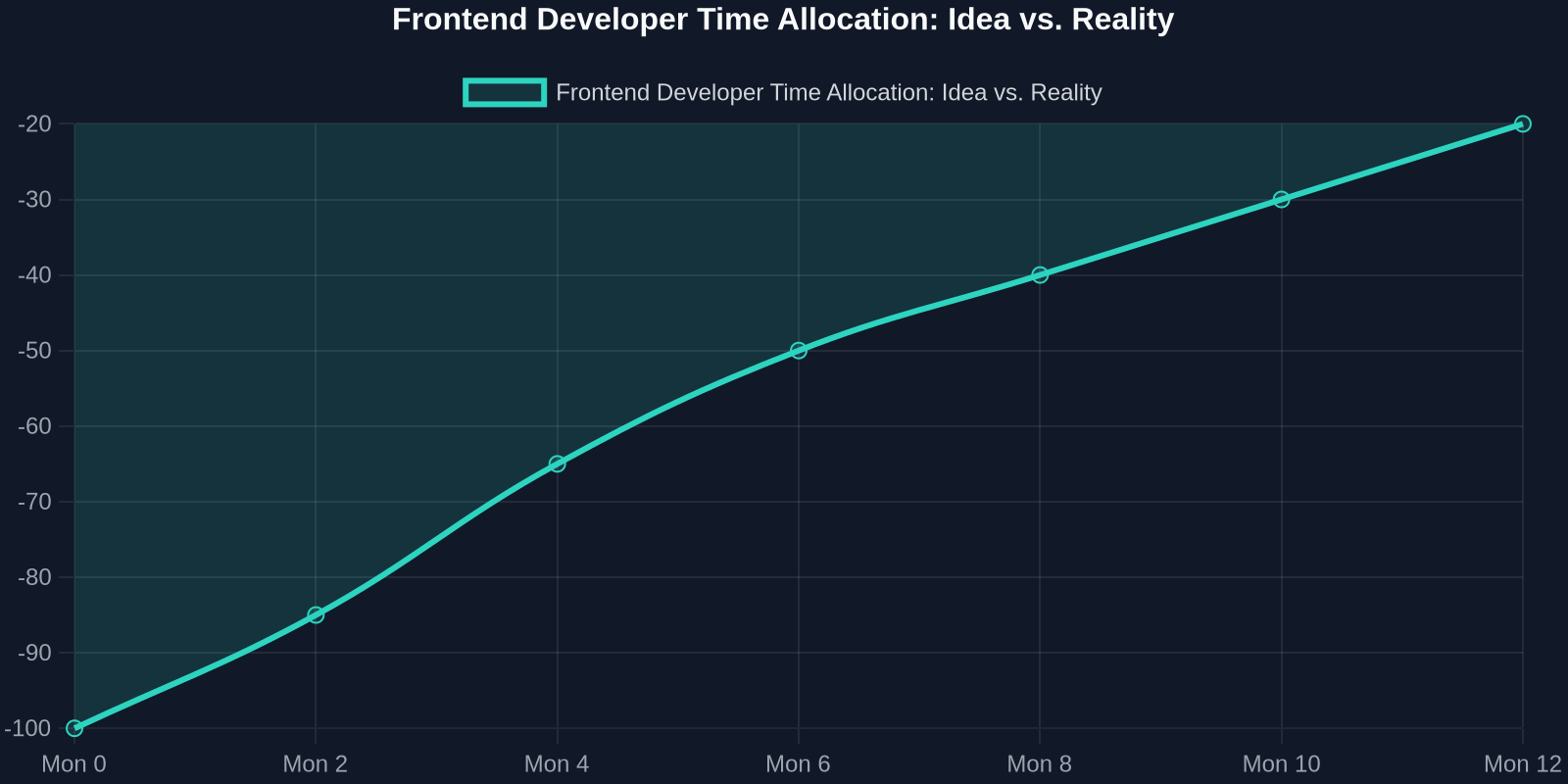
We spend 80% of our frontend time on problems that have already been solved visually somewhere else on the internet. The breakthrough is recognizing that 'somewhere else' is now an importable library.
Real-World Economics: Calculating the Hidden Tax
Let's quantify this hidden cost in a tangible scenario. A mid-sized SaaS company needs to revamp their dashboard UI. The design team provides a Figma mockup featuring a new complex data table, a multi-step modal wizard, and a redesigned settings panel.
The Traditional Approach:
- Data Table: 3 days. A senior dev integrates a headless table library, writes sorting, pagination, column filtering, and complex cell renderers.
- Multi-Step Wizard: 2 days. Wires up a state machine to handle step transitions, validation, and responsive layout.
- Settings Panel: 1.5 days. Implements custom toggles, radio groups, and a nested navigation structure.
- Total: ~6.5 developer-days.
The Extraction-First Approach (Inspired by the Web):
- Data Table: 0.5 days. The developer uses a tool to copy a fully-featured table UI from a web app, instantly capturing the complex CSS Grid layout and accessibility attributes. They then swap out static data for an API call.
- Multi-Step Wizard: 0.25 days. An elegant wizard flow is extracted from a popular onboarding service. The CSS and markup are adapted in minutes.
- Settings Panel: 0.5 days. A robust form layout is captured and customized with brand tokens.
- Total: ~1.25 developer-days.
This doesn't even account for the hours saved on cross-browser testing, as the extracted components often already handle edge cases elegantly. The budget saved here isn't just salary; it’s opportunity cost. Those five extra days can be spent on performance optimization, writing comprehensive tests, or building the next differentiating feature.
Architectural Strategies for Simplification
Tools that provide UI extraction are a massive tactical advantage, but they must sit within a coherent strategic framework. To permanently reduce complexity costs, teams must adopt an aggressively-simple-by-default architecture.

1. Radical Deprecation
Actively prune your dependencies. Audit your package.json quarterly. If a date-fns function can replace a moment.js import, do it. If you can use native CSS Grid instead of a third-party layout abstraction, do it. Every removed dependency is a shrink in cognitive load and bundle size.
2. Co-location as a Virtue
Single-file components that co-locate template, logic, and styles are not just a convenience; they are a cognitive forcing function. They discourage premature abstraction into a labyrinth of utils/, hooks/, and services/ directories. The goal is to keep the radius of a UI change as small as possible, ideally within a single file.
3. The "Compose, Don't Inherit" Mandate
This extends beyond classic OOP principles to the very workflow of building UIs. Don't inherit a bloated base class. Compose views from small, single-purpose, ideally extracted-and-cleaned pieces of code. Treat each section of a page as a standalone entity that can be prototyped and developed in isolation.
Reclaiming Flow, One Component at a Time
The hidden cost of front-end complexity is ultimately a tax on innovation. Every precious hour a skilled developer spends wrangling configurations or translating a static design into a div soup is an hour not spent on crafting delightful interactions, improving accessibility, or optimizing critical rendering paths.
The future is not about choosing the "one true framework" that will save us. It’s about recognizing that the output of frontend work, the HTML, CSS, and DOM structure, is a valuable, transferable asset in itself, decoupled from the JavaScript machinery that generated it. By shifting our workflow from always-authors to often-assemblers, and utilizing intelligent browser tooling to bridge the gap, we can paradoxically build more original, higher-quality applications by not building everything from scratch.
The open web is a vast, constantly evolving library of UI patterns, battle-tested on every device and browser. The hidden cost of complexity is the self-imposed blindness to that library. The competitive advantage lies in learning to read it, copy it, and adapt it with surgical precision. It’s time to stop paying the tax and start investing in a smarter way to build.