Screen Reader Accessible Design: A Developer’s Complete Guide to Inclusive UI in 2025
Imagine navigating the web without seeing a single pixel. For over 1 billion people worldwide living with disabilities, screen readers are the eyes into digital content. Yet, most websites remain inaccessible, creating frustration, lost revenue, and legal risk. In 2025, accessible design isn’t a nice-to-have, it’s a core development skill.
In this guide, we’ll break down everything you need to know about screen reader accessible design. From semantic HTML fundamentals to advanced ARIA patterns and testing workflows, you’ll learn how to build interfaces that work seamlessly for everyone. And we’ll show how tools like DivMagic can help you copy and adapt accessible UI components from the best-designed sites, slashing development time without sacrificing inclusivity.
The State of Web Accessibility in 2025
Accessibility lawsuits surged in 2024, with over 4,000 federal cases filed under the ADA, a 20% increase from the previous year. The European Accessibility Act will be fully enforced by June 2025, making accessibility a legal requirement for a huge range of digital services. But beyond compliance, inclusive design is good for business: accessible websites see 35% higher conversion rates and a broader audience reach.
Screen readers like JAWS, NVDA, VoiceOver, and TalkBack turn visual interfaces into linear audio experiences. They rely heavily on underlying code quality. If your semantic structure, labels, and interactive roles are wrong, the experience breaks completely. This guide focuses on the technical implementation that makes or breaks that experience.
Why Screen Reader Accessibility Matters
The Hidden Majority of Inaccessible Websites
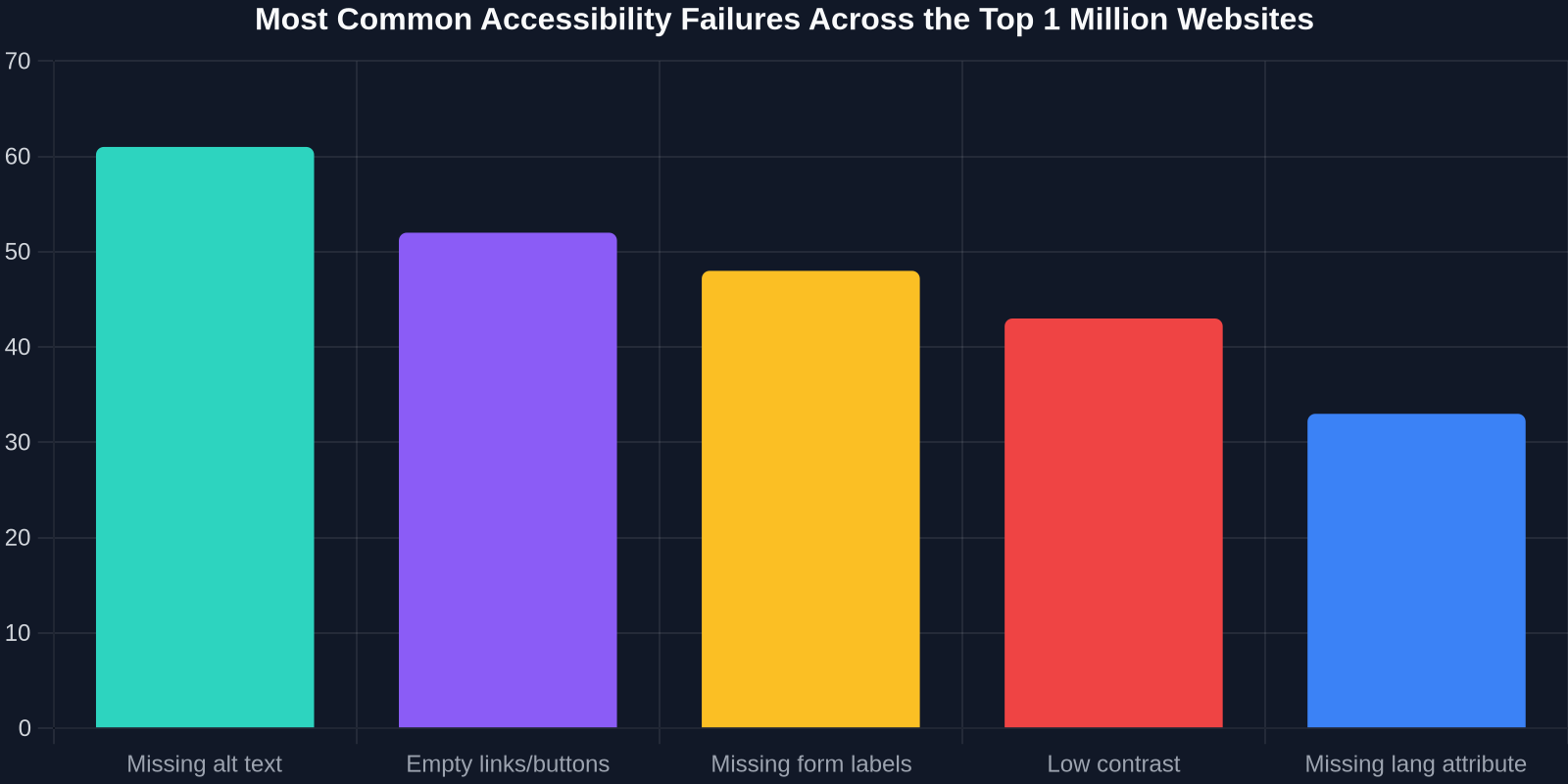
A 2025 study by WebAIM analyzed the top one million websites and found an average of 56 accessibility errors per page. Almost all of these affected screen reader users. The most common errors include:
Missing alt text on images
Empty links and buttons
Missing form labels
Incorrect heading hierarchy
JavaScript‑driven widgets without ARIA
Insight: Screen reader users don’t just hear a text‑to‑speech version of your page. They navigate via landmarks, headings, forms, and links. If your code lacks these signposts, the user is lost.
The Business Case for Accessible UI
🧑🤝🧑 Wider audience: 15% of the global population has a disability. Ignoring them means leaving money on the table.
⚖️ Legal compliance: ADA, Section 508, EAA – fines can reach $75,000 per violation.
🚀 Better SEO: Semantic HTML and alt text improve search ranking and reduce bounce rates.
Core Pillars of Screen Reader Accessible Design
1. Semantic HTML: The Foundation
Accessibility starts with correct HTML5 elements. Use