

Here is the SEO-optimized blog post about the Texas state government's new accessible, standardized web design system, written in a professional tone for frontend developers.
How Texas Launched a Standardized Web Design System: A Blueprint for Government Accessibility and Efficiency
When the State of Texas announced the launch of its accessible, standardized web design system to modernize agency sites, it was more than a policy update, it was a technical milestone. For frontend developers and government web teams, this move represents a paradigm shift: a centrally managed, accessible design system that can scale across dozens of agencies, each with unique content and compliance requirements.
In this deep dive, we'll explore what Texas did, why it matters for developers, and how you can apply similar principles to your own projects, whether you work for the government, a large enterprise, or a startup. Along the way, we'll incorporate practical code examples, real-world comparisons, and actionable insights.
The Big Picture: Why Texas Built a Web Design System
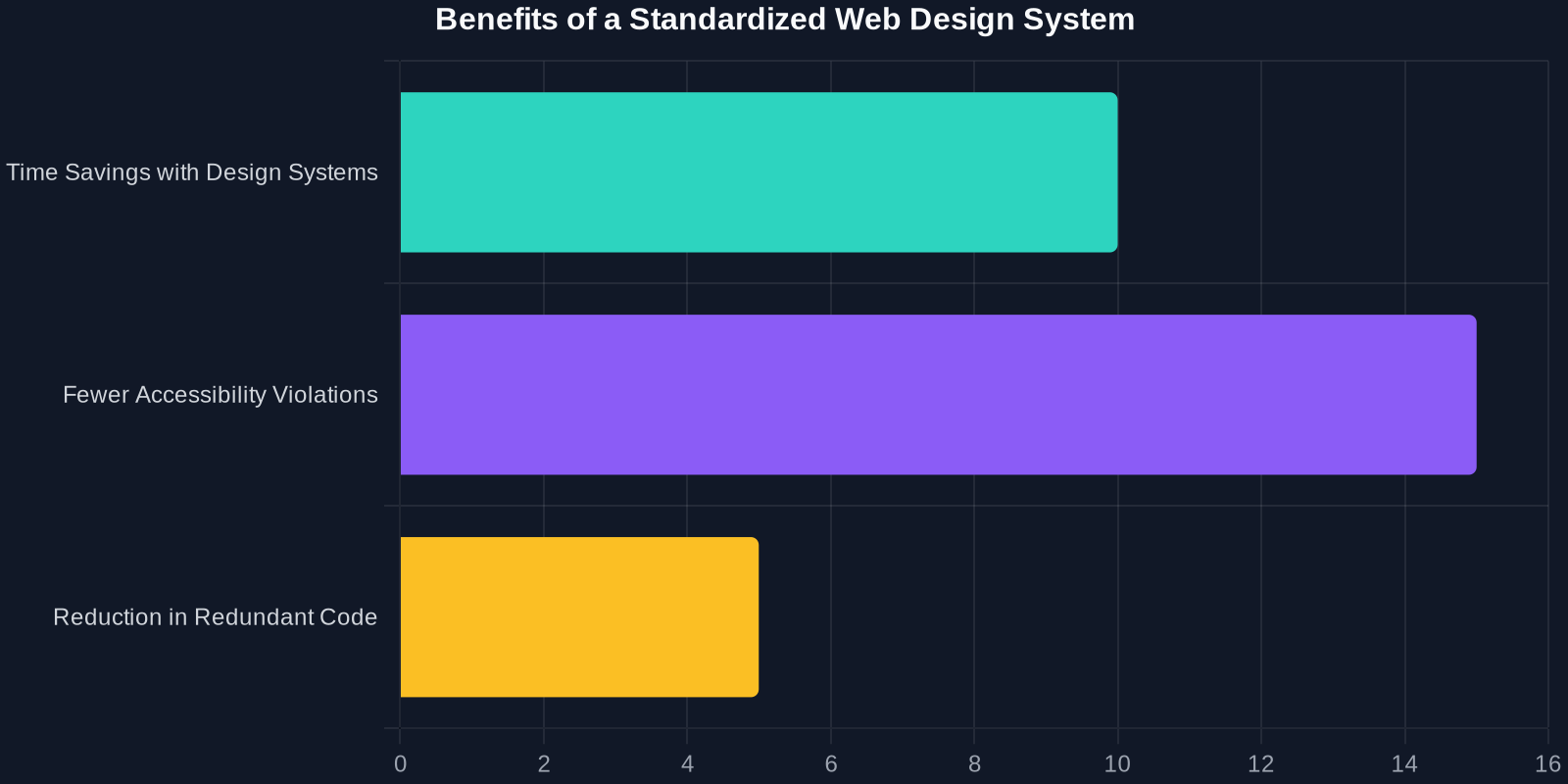
Texas, like many large organizations, faced a fragmented digital landscape. Each agency had its own design patterns, codebases, and accessibility implementation. This led to inconsistencies that confused citizens, increased maintenance costs, and, critically, created barriers for users with disabilities. The Texas Web Design System (TXWDS) was born to solve these challenges.
Core Principles of the Texas Web Design System
TXWDS is built on three pillars: accessibility, consistency, and developer efficiency. Let's break down each one.

Accessibility First
Accessibility is not an afterthought, it's embedded in every component. The system follows WCAG 2.2 AA standards, including:
- Proper keyboard navigation
- Semantic HTML landmarks
- High-contrast color palettes
- Screen reader-friendly ARIA labels
Here’s an example of how TXWDS might define a button component with built-in accessibility:
<button class="tx-button tx-button--primary" aria-label="Submit application">
  <span class="tx-button__text">Submit</span>
</button>
.tx-button {
  font-size: 1rem;
  padding: 0.75rem 1.5rem;
  border: none;
  border-radius: 4px;
  cursor: pointer;
  transition: background-color 0.2s ease;
}

.tx-button--primary {
  background-color: #003f72;
  color: #ffffff;
}

.tx-button--primary:hover {
  background-color: #002a4d;
}
Consistency Across Agencies
Before TXWDS, a citizen visiting the Texas Department of Motor Vehicles and the Texas Health and Human Services Commission might see completely different navigation, typography, and forms. That confusion is now eliminated. The system provides a unified visual language that works on any agency site.
Comprehensive Documentation
The system ships with detailed style guides, code examples, and a pattern library. Teams can explore components, see live demos, and copy-paste code snippets, reducing the learning curve.
3. Measure the Impact
Texas tracks metrics like page load time, accessibility scores, and developer satisfaction. Set KPIs for your own design system, quantify the time saved, the reduction in CSS file size, and the decrease in WCAG violations.
How DivMagic Can Help You Build Your Own Design System
As you work on your own design system, whether for a government agency, a large corporation, or a personal project, efficiency matters. DivMagic lets you copy UI elements from any website instantly, making it easy to gather inspiration, extract color palettes, and replicate layout patterns.

Imagine you see a beautiful accessible button on the TXWDS demo site. With DivMagic, you can copy its CSS, HTML, and even the exact accessibility attributes with a single click. That means less time manually inspecting elements and more time building.
Conclusion
The Texas standardized web design system is more than a policy win, it's a technical achievement that benefits developers, agencies, and citizens alike. By embracing accessibility, consistency, and open-source principles, Texas has provided a replicable model for modernizing government digital services.
For frontend developers, the lessons are clear: invest in a design system, prioritize accessibility from the start, and use tools to automate the repetitive parts of UI development. Whether you're building for a state government or a commercial product, these strategies will lead to better code, happier teams, and more inclusive user experiences.
Ready to level up your own design system workflow? Try DivMagic today and see how quickly you can copy and reuse UI components from any website.
This article was written based on available information about the Texas Web Design System and broader best practices. All trademarks and references are property of their respective owners.